TRY SERVOY!

Download Servoy

Quote

Quote

CUSTOMERS USING SERVOY

FoxPro

On March 13th 2007, Microsoft announced that it will not release any new versions of its Visual FoxPro development software after Version 9.0.

If you love FoxPro, you will probably love Servoy! We have had the pleasure of meeting and working with a lot of experienced FoxPro developers now - and they tell us they like these features of Servoy:

- Version Control
- The Developer Interface (its familiar)
- SQL Backend - without having to run queries yourself
- Deployment - you can deploy to Web and/or LAN from the same code base
- The Looks and Feel (LaF) - looks like Mac on a Mac, looks like Windows on Windows

If this sounds intriguing to you, we'd love to have you download a FREE trial version today. For more information, please email Aaron Archer - he is our FoxPro/Servoy expert.

Ready to Try Out Servoy?
Click here to download the free Servoy Trial Version.

We invite you to learn a bit more about Servoy and how we can be your "next" FoxPro as you move along your journey of offering powerful business applications. Please read more, check out our FoxPro comparison tutorial here, request some information, view a tutorial, visit our forum and talk to others who use FoxPro and/or join us for a webinar. We would like to help you.

Why Do FoxPro Users and Developers Choose Servoy?
There are a number of reasons:
  • Because Servoy is a front-end builder for SQL databases, there is no limit to the number of concurrent users! Your Servoy application is scalable based on the hardware you employ. The all-too-frequent locking and broadcast problems you encounter with FoxPro simply don't exist.

  • Servoy easily connects to any of the popular SQL databases in the marketplace -- or to multiple databases simultaneously -- including: Oracle, DB/2, MS SQL Server, Sybase, iAnywhere, Postgresql, MySQL to name a few. Although Servoy ships with Sybase iAnywhere as a convenience for new developers, Servoy is not a database -- meaning Servoy does not store your data. Servoy simply provides the interface and an easy way to add, edit and delete your data. With Servoy, you can join data between multiple data sources in different physical locations; and/or between SQL databases from different vendors. Reliability issues due to "corrupted" databases are gone forever!

  • Deploying over a WAN or LAN is painless. You can deploy your solution using a rich Java Servoy Smart Client, and/or through a pure HTML Servoy Web Client from a single code-base -- with no additional coding required. Servoy Smart Client uses Java Webstart technology to provide you and your users with a zero-deployment experience. NO more need for Citrix! No more need to "update" all your client versions manually - Servoy handles client updates automatically.

  • Servoy is based entirely on industry standards such as: SQL, JDBC, Java, JavaScript, XML, TCP/IP, etc. There are NO proprietary languages or protocols! -- so the Servoy learning curve is much shorter. Over 75% percent of your existing FoxPro skills will transfer directly to the Servoy Developer tool. There is no need to know Java or SQL to "talk" to backend SQL databases -- Servoy handles that for you. To make your applications more powerful, Servoy includes a large built-in library of functions; a drag-and-drop JavaScript script editor; and a fully-featured advanced script debugger. You can extend Servoy's built-in functionality further by: writing your own in-line Java; using JavaBeans and Java applets; or connecting to webservices using the free SOAP (Simple Object Access Protocol) plugin that ships with Servoy.

  • Servoy is truly cross-platform. Servoy runs on Windows, Mac OS X, Linux, Solaris, BSD, HP UX -- in short, any platform that supports Java 1.5 or higher.

  • Upscale your FoxPro applications
    With Servoy, you will be able to get rid of the FoxPro data islands and integrate seamlessly with enterprise environments. Because Servoy is entirely industry standards-based, you will gain an immediate acceptance from enterprise IT. Servoy is a Java-based environment -- the most used programming language and platform in enterprise IT -- and will connect to any SQL backend even if you have no knowledge of that backend system. Even government and healthcare applications can be developed without the need for additional certification, because of Servoy's unparalleled stability; and built-in security features such as 128-bit SSL data encryption for deployment.

    FAQs for FoxPro Developers

    What does Servoy Cost? FoxPro was free! Servoy does have a client cost, as well as a developer's license fee. However, its still VERY competitive in today's marketplace - especially when you consider its a "concurrent" license - you don't have to buy a seat for each and every user - just for the total amount expected to connect at any ONE time. And because Servoy is VERY productive (studies show 5 to 10x faster development time) its much more cost effective to create applications. Prices start at $349/seat and go down from there. Watch for the release of 4.0 and some special, new pricing that will be extremely interesting for small projects.
    A Quote from a FoxPro Developer "In Servoy, we found a platform that originated in the online-era. Sure, it's licence model is not free but ours isn't either. If you take into account the fact that is comes with a bundled iAnywhere database licence, it is actually very reasonable." - Jeroen de Vries, www.softwear.nl
    Is Servoy Easy to Learn? Servoy is probably the closest product to any 4GL out there in terms of ease of use. AND its standards based, so its widely acceptable to IT departments and customers. Like learning any new technology, there is a curve - but Servoy's is not too steep. We hear from many long-time FoxPro users that learning Servoy was not too difficult. We also have an extremely supportive community (check out Servoy.com/forum. We also have monthly, free webinars as an intro point Servoy.com/events. And there are several third party vendors that offer training (on-line and in-person) as well as "jump start" tutorials and books.
    Are there any other FoxPro Users who have moved to Servoy? Yes, lots of them! Some with huge installations, many with lots of experience using FoxPro and also needing to add a new tool to their toolkit - we are proud they have chosen Servoy and welcome them. Won't you join us too?
    Give me one good reason to consider Servoy over FoxPro. WEB 2.0. With Servoy, you can easily make web projects that have sexy features like AJAX and databroadcasting. OR not - with ONE code base, your application can run on the desktop OR the web. You reuse 95% of the code. PLUS Servoy is extremely secure - we know there are other "free" products out there - but none as productive as Servoy - with ONE code base you can do desktop, web and/or mobile even! Plus we are cross platform as well - so no need to be stuck with only one type of deployment - why not go to Windows AND Mac AND Solaris AND Linux... plus the web.
    A Quote from a long-time FoxPro User."I'm quite pleased with the progress we've made, considering I had no experience in web development. One of the best features I think is that you can develop a sophisticated application that looks like a desktop app, with multiple independent windows, and all kinds of nice interface features, and still run it in a web browser. It does some nice things with data handling and concurrency, and data broadcasting that automatically refreshes displayed data that has been changed, something that has never been available in VFP." -Mike Sedita, MS Health Software Corp.

    FREE Servoy Webinars
    Please check out the FREE one-hour Servoy Webinar Series and other events at Servoy.com/events. If you would like to schedule a one-on-one Special Servoy Webinar or have specific questions, please contact us by email at sales@servoy.com.

    Starter Kit
    Servoy is introducing a Special Starter Kit. The Servoy Special Starter Kit contains: all Servoy Printed Documentation (a 4-volume set); 2 Servoy Developer licenses; and 2 Servoy Client licenses -- including a one year subscription and 4 hours of on-line interactive support (to be used before July 1, 2008). The Servoy Special Starter Kit is priced at only $2,495 US (with a retail value of $3,500) and is available until November 30, 2008. If you have a large installation (50 or more licenses) please contact Aaron Archer at aarcher@servoy.com for a specialized quote.

    Ready to Try Out Servoy?
    Are you ready to lower your costs and increase your market reach? You owe it to yourself to try out Servoy today.

    Click here to download the free Servoy Trial Version.

    Do you have more questions about Servoy? Contact us by email at sales@servoy.com.

    Additional Servoy Information
    Read on for more information about some of Servoy's key features:

    True SQL Front-end
    Servoy is not a database. SQL databases have reached their current levels of quality due to many years of continued development and research by their respective companies. Applications that combine database and user interface in the same environment never manage to attain the performance and stability level SQL databases have achieved. Servoy addresses this limitation of "all-in-one" products by ensuring a strict separation of data and application design elements. There are already plenty of good SQL databases -- all the world needs is an easy way to make use of them.

    Automatic Data Binding
    Servoy is one of the only SQL front-end tools that offer automatic data binding. Imagine simply selecting columns from a SQL table and having them appear on your form -- ready for new records, data edits and deletions -- all WITHOUT having to know any SQL. Whether you use a form for data entry or reporting, Servoy handles the SQL queries for you automatically. If you prefer to write your own SQL, Servoy offers you this capability as well. You decide. You're in control.

    Java Made Easy and Fast
    Servoy allows you to harness the power of Java without the typical Java learning curve on two levels: First, you have the power of Java -- the most widely-used and accepted programming language -- without having to learn the intricacies of Java development. Second, if you want to program something in Java, you can still integrate your code seamlessly into the Servoy environment with inline Java code; Servoy Plugins; JavaBeans; and Java Applets.

    Automatic Data Broadcasting
    Servoy is the only SQL front-end tool that offers automatic data broadcasting. This unique feature means that if one user changes his/her data and a different user is viewing that same record, the second user sees the changes in real time. Data broadcasting is a default feature of Servoy. There is no need to program refresh and reload statements like you must in other SQL interface tools. Servoy pushes changed data only to the users that need it -- not to everyone all the time. Servoy knows which user has which data cached and will invalidate caches accordingly. There are additional benefits to data broadcasting: You can use fewer transactions than in other development environments; and bandwidth usage is significantly reduced compared with 'manually refreshing the screen' in other applications.

    Thin Client, Zero Deployment
    Servoy is the only application that requires no network installation of client software -- whether you deploy your solution as a Servoy Smart Client, or Servoy Web Client. Servoy Smart Client is a "real" Java application providing a rich, event-driven user experience. Servoy Web Client combines Servoy's patented WebDirect&trade technology, together with Ajax capabilities, to provide a rich 100% HTML application in a web browser. Using a combination of compression (SSL) and caching technologies to keep bandwidth usage very low, Servoy applications can even run over dial-up and mobile connections (including GPRS and UMTS) -- without the need of additional software such as Terminal Services or Citrix.

    Cross Platform, Cross Database
    Servoy can connect to any SQL-based database and can be deployed on nearly any operating system including Windows, Mac OS X, Linux and Solaris. Servoy Server will run on server operating systems such as: Solaris, HP Unix, IBM AIX, AS/400, OS/390, Windows Server 2003, OS X Server, Red Hat Enterprise Edition, Novell SuSe, etc. -- and Servoy can be run on multiple platforms simultaneously. You are not locked into a particular database. You can easily move from one database to another -- Servoy will automatically re-create your schema when you move the data. For example: You could develop your Servoy solution on Windows using Sybase iAnywhere and deploy the application you built on Mac OS X using Oracle WITHOUT ANY recoding.

    Easy Internationalization
    Not only does Servoy offer you easy-to-use tools to translate your application seamlessly into any language -- Servoy also enables you to deploy your solutions in multiple languages simultaneously! Imagine running your Servoy application in English, Japanese, Arabic and Italian at the same time from the same server. Using the same code base!

    Professional Programming Environment
    Servoy Developer is a very easy-to-use integrated development tool. For your convenience, Servoy ships complete with a powerful, SQL database engine powered by iAnywhere from Sybase. Servoy Developer contains Servoy Server components as well -- so you can test your Servoy solutions (even networked) without the need to run the Servoy Server application separately.

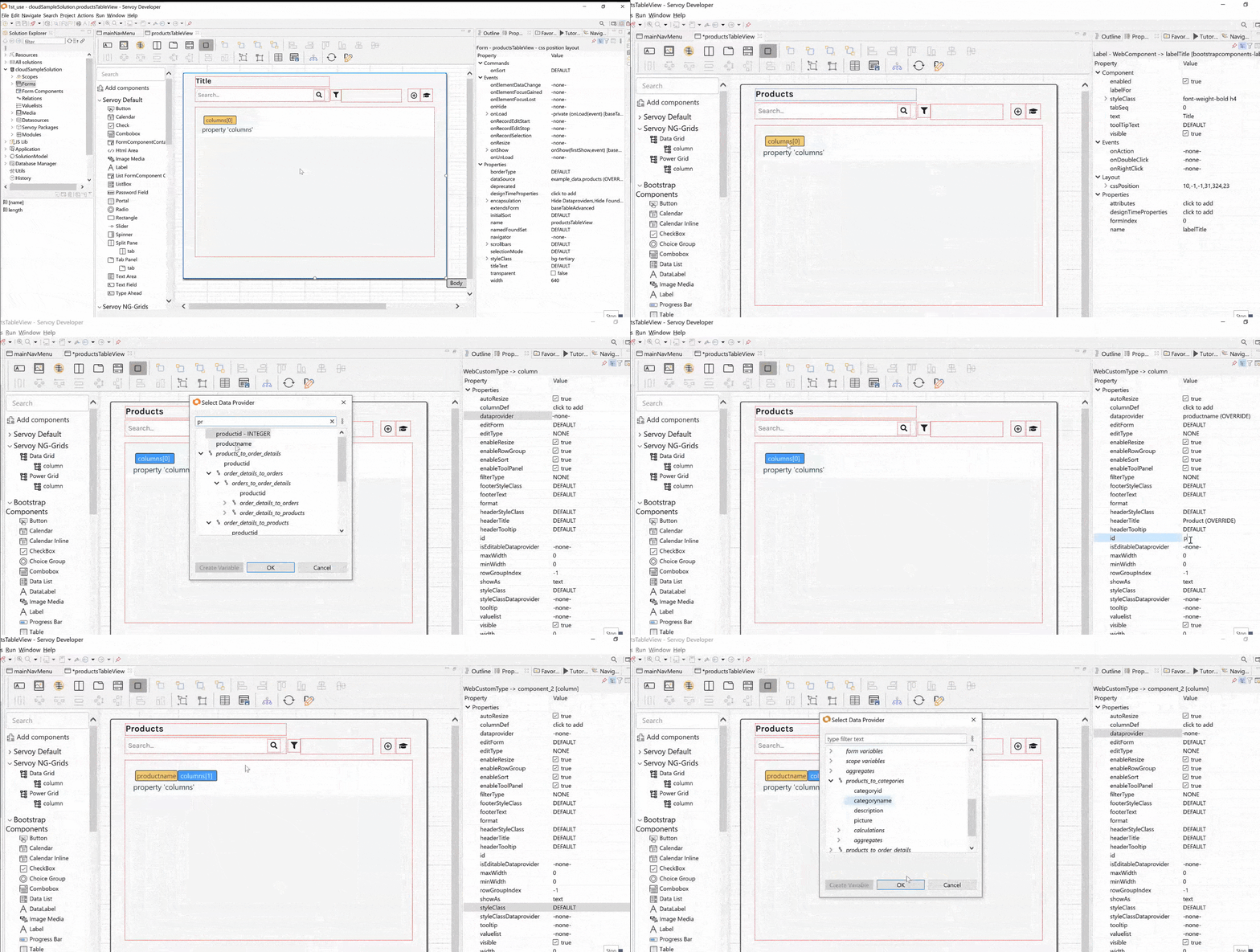
    Servoy offers a simple two-screen development environment -- one for designing user interfaces; and another for coding and debugging. Servoy's advanced integrated debugger allows you to easily spot any typing or coding errors and the Servoy scripting editor allows you to rapidly automate your solutions. Servoy also offers code-completion; tool-tips; sample code; color choosers; date pickers; and more to help you get your Servoy solutions built even faster.

    Easiest To Manage Server
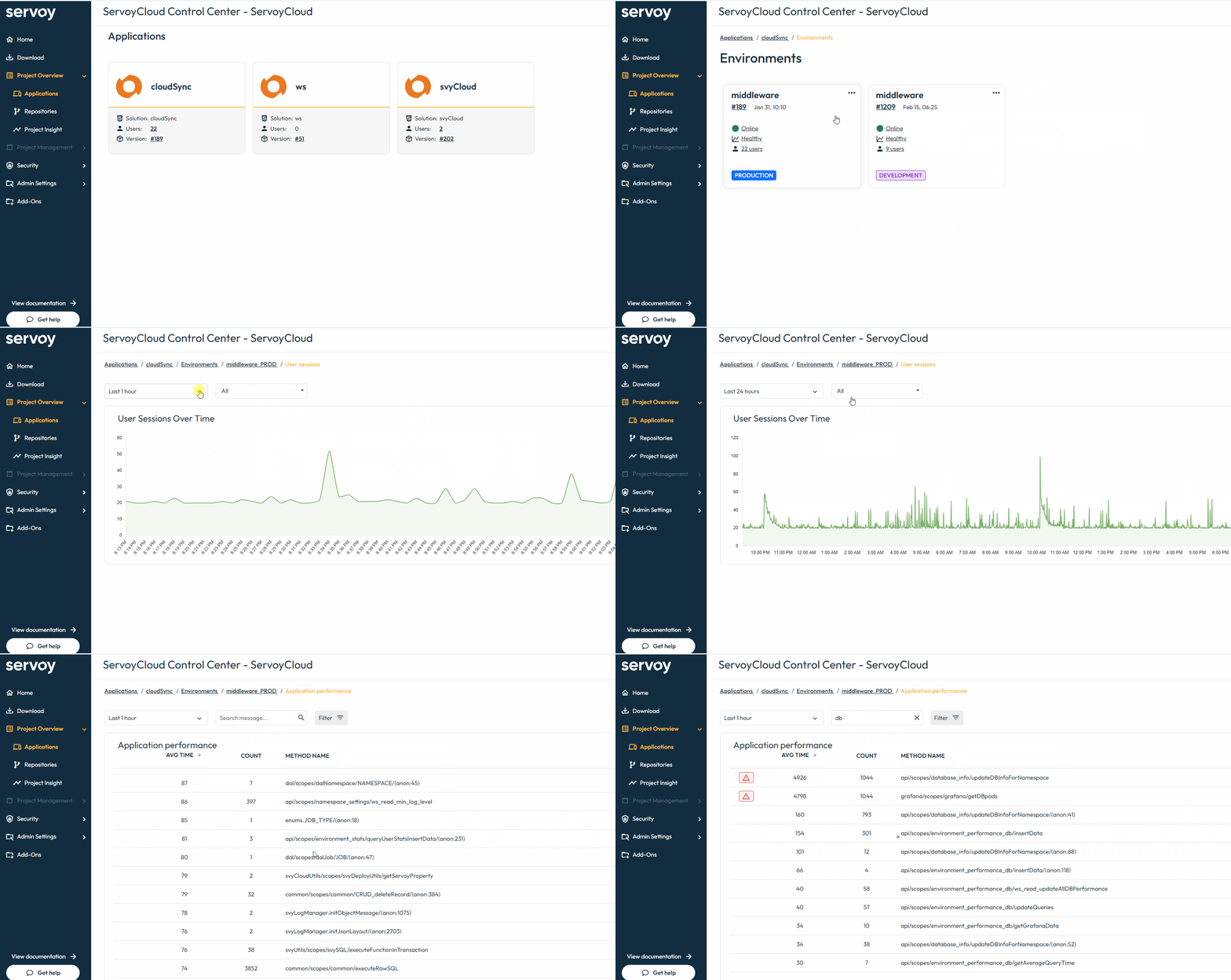
    Servoy Server is the easiest application server to manage. Using a browser-based interface, you can administer all of the Servoy Server functions. From sending clients a message; to shutting them down; to uploading new versions of solutions or rolling back to an older version; to resolving locks and transactions; to even restarting the server. It's all done through a web browser from anywhere in the world.

    Secure By Default
    Servoy is secure by default. Right out of the box, Servoy uses 128-bit SSL encryption to secure all data that travels between Servoy Server and the client. Servoy also offers a point-and-click interface to build security into your solutions for limiting users based on pre-defined access rights. Security access can be defined both on a data level and on the user interface level. In Servoy, adding an audit trail -- to track any changes to data in detail -- can by turned on by checking a single checkbox.

    Easy With No Limitations
    Non-Servoy development and deployment environments are either easy-to-use with serious limitations, or have fewer limitations but are harder to use. Servoy offers you the best of both worlds. All the functionality you expect is already available. If you need more specific or specialized functionality, Servoy is extremely easy to extend via JavaBeans, Java applets, and the Servoy 100% Java Plugin API. With the Servoy Plugin API, you can easily hook-up existing Java code/classes to the Servoy environment; and control the overall application layer, as well as the data layer.

    WYSIWYG And More
    Servoy takes WYSIWYG (What You See Is What You Get) form design to the next level. Not only will Servoy take care of the corresponding SQL statements that must be executed to make your user interface function correctly -- Servoy also offers you all the components you need to easily design a rich user interface: tabpanels; portals; buttons; labels; roll-overs; images, tooltips; Cascading Style Sheets (CSS); and much more. If you require specific UI components that Servoy doesn't provide, you can simply add them in as JavaBeans. Here's the best part -- the entire user interface is scriptable! Just point-and-click from the large built-in library of functions, and you can control the interface of your Servoy solutions -- such as: making fields and buttons dim or hide based on user access; running scripts when the "enter" key is pressed; dynamically generating popup menu lists based on a single mouse click; and much more.

    Effortless Reporting
    Designing a report in Servoy is a snap -- without the need to write any SQL. Simply place the fields you want to show on your report in the desired header; footer; body; summary; or sub-summary Servoy forms part. Depending on the context of your displayed data and your foundset -- Servoy will automatically execute the necessary SQL statements to your backend database, retrieve the data and generate your report.

    Everything Is Included!
    All of the features mentioned are standard in Servoy. There is no need to buy additional "packs", "enterprise editions", or "advanced versions". Servoy has a clear licensing scheme: You pay for the number of developers (Servoy Developer licenses) and concurrent users (Servoy Client licenses) in your organization. It's that simple!

    Standards Compliant
    Servoy doesn't introduce any new standards or any proprietary technology. Servoy uses industry standards:
    • SQL for data interaction
    • JavaScript for scripting and implementation of business rules
    • JavaBeans to integrate existing functionality into your applications
    • Java to extend your application
    • Webservices to interact with the outside world
    • XML for information exchange
    • RTF, HTML for text rendering and editing
    • PDF for forms output and storage options
    • POP, SMTP, MIME, and attachments for email functionality

    The standards listed are the most recognized standards in their respective areas -- and Servoy makes it extremely easy to use them all. If you invest time in Servoy, you invest time in learning languages and standards that you will be able to use in many other contexts as well.

    The Servoy features described above are just a few of the many benefits you will find when you start using Servoy. Visit the Servoy website and download the free Servoy Trial Version today!

    Additional Servoy Resources
    For more information on Servoy, click any of the following links:

    NOTE: Servoy and the Servoy logo are registered trademarks of Servoy, Inc. All other trademarks are the property of their respective owners. Microsoft FoxPro is a registered trademark of Microsoft Corporation.